
Inviter des utilisateur·rice·s à rejoindre un groupe
Créé il y a 6 mois
Allez dans l'onglet Groupes puis allez sur l'onglet Les miens où vous avez accès aux groupes déjà rejoints ou créés.
Sélectionnez le groupe dans lequel vous voulez inviter un·e utilisateur·rice. Allez sur le menu … puis choisissez Inviter à rejoindre ce groupe. Dans la fenêtre qui s'ouvre, rentrez l'e-mail de la personne à inviter ou choisissez parmi les suggestions.

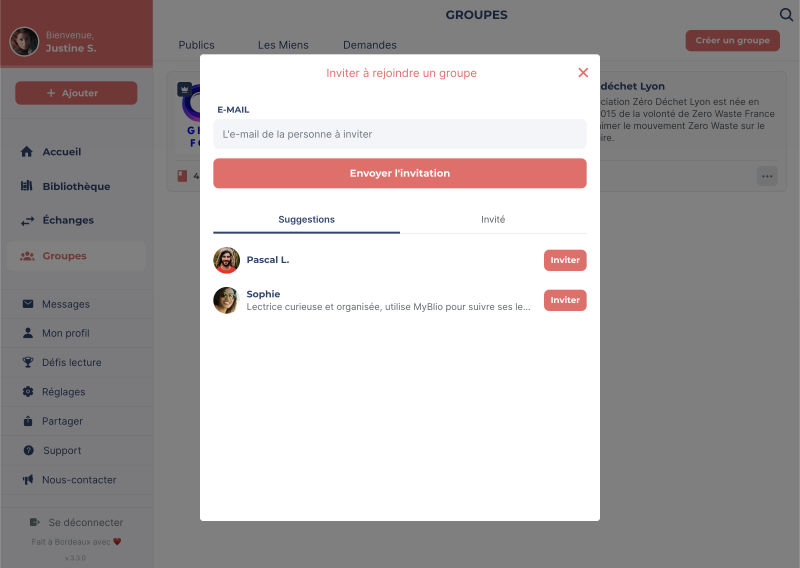
L'utilisateur·rice recevra une notification dans l'application et pourra accepter ou refuser l'invitation. Vous pouvez voir qui a déjà été invité en allant dans l'onglet Invités.