
Options de partage du groupe
Créé il y a 6 mois
Pour accéder aux options de partage, allez sur le menu … depuis votre groupe puis choisissez Options de partage. Une fenêtre s'ouvre dans laquelle vous trouverez les options pour partager suivantes :
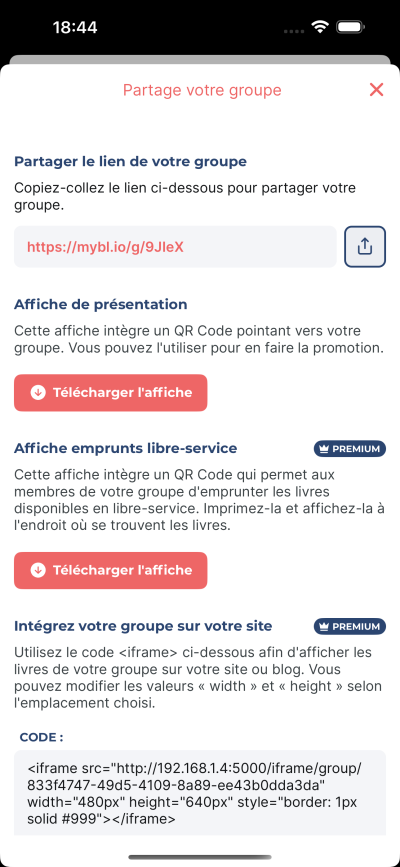
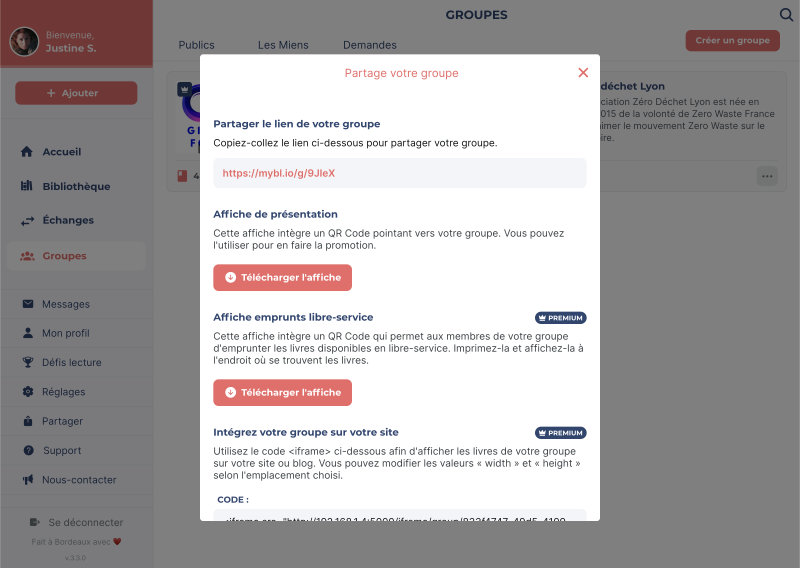
- Par lien : partagez le lien vers votre groupe pour que les utilisateur·rice·s puissent le trouver et le rejoindre.
- Par affiche : téléchargez une affiche avec un QR code que les utilisateur·rice·s peuvent scanner pour accéder directement à votre groupe.
- Par affiche libre-service [premium pro] : téléchargez une affiche avec un QR code que les utilisateur·rice·s peuvent scanner pour accéder directement à votre bibliothèque virtuelle et emprunter des livres en libre-service.
- Par widget iframe [premium et premium pro] : intégrez votre bibliothèque sur votre site internet en utilisant le code fourni.